NEWS
Chrome Theme Collections Quietly Lock Android Users In
Chrome for Android adds theme collections, upload and colors with daily refresh, closing desktop parity and strengthening the browser’s grip on mobile habits.

Chrome for Android version 151.0.7922.71 now includes a full Appearance menu for the new tab page, with theme collections, image uploads and color packs that finally match long-standing desktop tools. The rollout reached stable users in late July 2026 and is already live for many on the regular channel after first appearing in Beta.
Users open the three-dot menu on a new tab, tap Customize new tab page, then Appearance. Four choices appear with live thumbnails. The change is small on paper. It is large in daily feel.
The Appearance Menu Lands Quietly
Google pushed the feature as a server-side update alongside the Chrome 151 stable channel that hit on July 28. It sits under the existing Customize new tab page sheet that already handled shortcuts, cards and the Discover feed. No flag required for most people once the build arrives.
The menu itself is simple. Chrome Default restores the plain look. Upload an image opens the system picker so any photo becomes the background. Chrome Colors offers a short set of preset tri-color schemes. Theme Collections opens a curated gallery. Both Colors and Collections carry a Refresh Daily toggle that cycles options automatically.
Once chosen, the background updates the new tab page and tints related interface pieces such as the tab switcher. The whole browser starts to feel less like a static utility and more like part of the phone’s own skin.
Because the change rides a server flag rather than a binary ship, the option can appear days after the 151 build itself. That separation keeps the stable channel notes free of theme language while still letting the menu reach accounts in waves.
- Open a new tab and tap the three-dot menu.
- Select Customize new tab page.
- Tap Appearance and pick Default, Upload, Colors or Collections.
- Toggle Refresh Daily if you want automatic rotation.
Force-stop the app from system settings if the option is missing after update. Rollouts remain staggered by region and account.
Four Clear Paths to a Personal New Tab
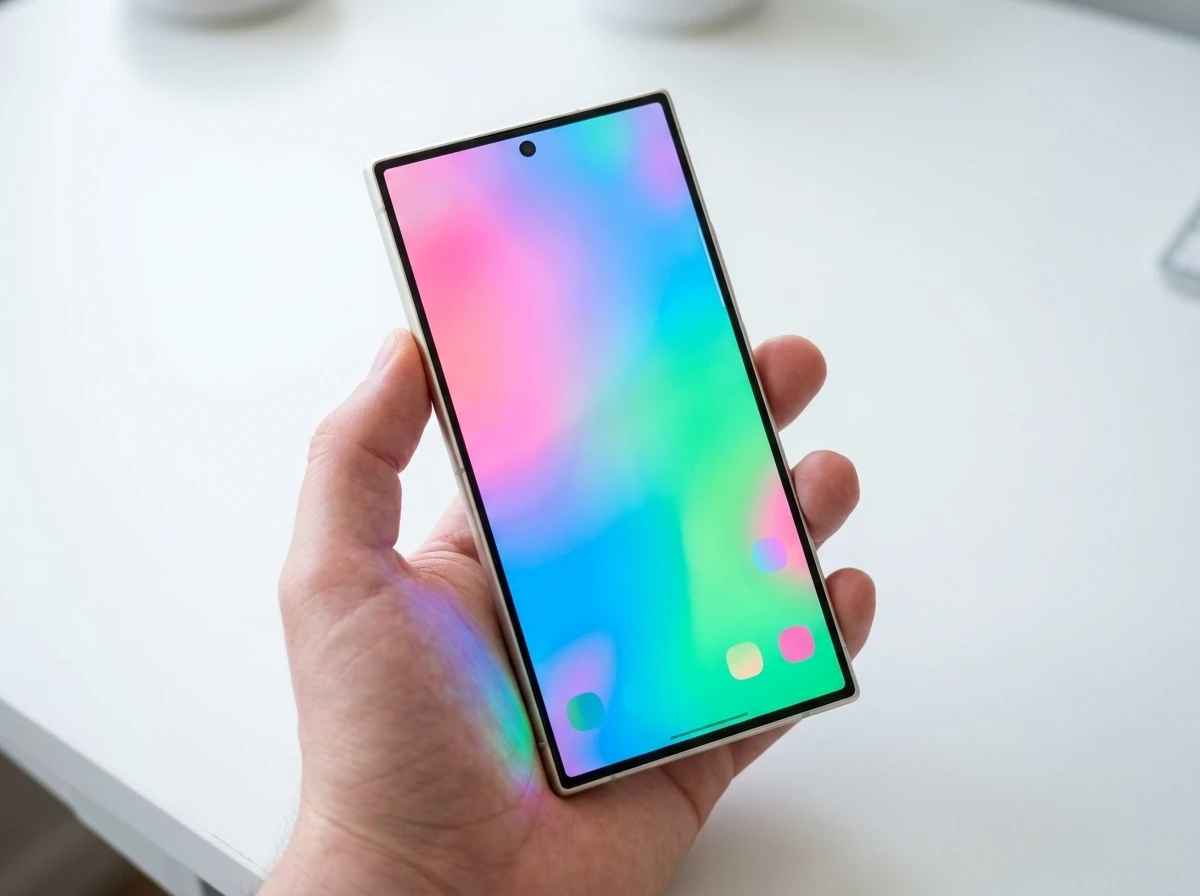
Each option targets a different taste. Default keeps the clean Material-style look that follows system dark or light mode. Upload turns personal photos into full backgrounds without extra apps. Colors stay minimal and fast. Collections deliver polished, ready-made sets.
| Option | What it offers | Best for |
|---|---|---|
| Chrome Default | Stock appearance with dynamic color | Users who want zero change |
| Upload an image | Any photo from device storage | Personal photos or custom art |
| Chrome Colors | Nine preset tri-color themes plus daily refresh | Quick, clean accents |
| Theme Collections | Curated packs across six categories, 4-5 images each, daily refresh | Variety without hunting files |
The interface elements pick up matching tones after a selection, so the tab strip and controls no longer sit flat against a plain white or gray field. Scroll through Discover and the page gains depth instead of looking pasted on.
Upload demands the least ongoing attention once the photo is chosen. Colors and Collections invite more frequent glances because the Refresh Daily toggle can keep the surface moving. Default remains the quiet baseline for anyone who simply wants the browser to follow the phone’s light or dark setting.
Theme Collections Bring the Daily Cycle
Collections split into Landscape, Architecture, Earth, Patterns, Illustrations and Gradients. Each holds four or five high-quality images. Gradients dominate early user picks because the soft blends avoid busy subjects that fight with shortcuts and cards.
Turn on Refresh Daily and the browser swaps the background each morning. The same toggle works on Chrome Colors. It mirrors the wallpaper rotation many Android users already run on their home screens, only now the browser joins the habit without a third-party launcher.
One X post that drew solid views put it plainly: the update lets you “personalize your Home page with upload, Chrome colours, theme collections and daily theme refresh. A small change, but it makes Chrome feel much more personal.” That matches the early reaction across Android circles.
A small change, but it makes Chrome feel much more personal.
That line came from a widely shared post showing the six collection categories in action. Engagement stayed modest yet consistently positive, with users noting the smoothness of the new page more than any single wallpaper.
The six categories give enough range that most tastes find a fit without leaving the gallery. Soft Gradients keep text and cards readable. Busier Landscape or Architecture shots reward users who prefer a stronger scene and are willing to adjust shortcut placement if needed.
Desktop and iOS Reached This Point Earlier
Desktop Chrome has offered a full desktop New Tab page theme gallery for years, complete with upload, official collections and the same daily refresh. Users click Customize Chrome at the bottom of a new tab and pick freely. Color suggestions auto-generate from the chosen image.
iOS Chrome gained similar homepage wallpapers and color tools in beta late 2025 and wider release by spring 2026. Android, despite owning the largest Chrome share, waited until the 151 cycle. The gap was noticeable for anyone who switched devices daily.
- Years earlier, Desktop Chrome ships extensive theme and background tools.
- Late 2025 / early 2026, Chrome on iOS adds wallpapers, themes and colors.
- July 28, 2026, Chrome 151 stable reaches Android with the Appearance menu.
- Late July into August, Server-side rollout spreads the option to regular channel users.
The Chrome 151 stable channel notes list dozens of CSS, performance and security items but omit the themes feature entirely. That confirms the change rides a separate server flag rather than a hard binary ship.
Cross-device users no longer lose their visual language when they pick up the phone after a laptop session. The same daily-refresh habit and the same upload path now exist on every major Chrome surface, which removes one small reason to treat the mobile browser as a lesser twin.
Why the Stickiness Hit Lands Now
Chrome already holds roughly 68 percent of global browser traffic and over 93 percent on Android according to recent global browser market share figures. Defaults and pre-installs explain most of that. Yet privacy-focused options and newer Chromium forks keep trying to peel users away with speed or tracker blocking.
A browser that looks and feels like an extension of the phone’s own wallpaper and Material You palette raises the friction of leaving. Daily refresh turns the new tab into a living surface rather than a cold start page. Visual context cues across profiles or projects become possible once themes can sync or differ by account.
- Dominant share already rests on defaults and pre-installs.
- Visual match to the phone skin raises the cost of switching.
- Daily refresh turns a static start page into a living surface.
- Reliability from heavy security patching pairs with the new polish.
Competitors still chase deeper engine work. Servo’s Android browser engine push aims at polished independent rendering. Most users never notice engine names. They notice whether the page they open twenty times a day feels theirs.
Security volume stays high too. A recent Chrome security patch volume fixed more than a hundred flaws in one cycle. Reliability plus personal polish is a hard combination to beat for casual switchers.
Gemini Sidebar and the Habit Loop
Themes sit alongside the Gemini Sidebar that already lets users pull open-tab context into side conversations. Research and comparisons move faster when the AI sees what is already loaded. The visual layer and the assistant layer reinforce each other: the browser becomes both prettier and smarter in the same workspace.
Future ideas surface in early discussion. Matching themes to time of day, calendar events or active profile would echo how Google Calendar already auto-picks banner images from simple keywords. That path brings privacy questions about inference. Calendar works from short, explicit text. Browsing signals are fuzzier. Google has walked that line carefully before and will again.
For now the tools stay opt-in and local to the device image choice. No forced context guessing. Users who want only the gradients can stay there forever.
The net result is a Chrome that no longer feels like the plain sibling of its desktop twin. Power users who live inside the browser all day finally get the same control they already enjoy on the laptop. Everyone else gets a nicer default that still works without effort.
How Daily Refresh Joins Existing Phone Habits
Many Android users already let their home-screen wallpaper rotate on a schedule. The new Refresh Daily toggle on Colors and Collections simply extends that rhythm into the browser. Each morning the new tab page can present a fresh background without any extra taps.
The mechanism stays lightweight. The toggle only cycles inside the chosen set, whether that is the nine Chrome Colors presets or the four-to-five images inside a single Theme Collection category. Nothing pulls remote art beyond the curated packs already on the device path.
Because the change is opt-in, the habit forms only for people who want it. Others leave the toggle off and keep a fixed image or the plain Default look. The result is a browser that can match the rest of the phone’s daily visual pace when the user chooses, and stay still when they do not.
What Cross Platform Parity Means Day to Day
Until the 151 cycle, anyone who moved between a desktop machine, an iPhone and an Android phone met three different levels of new-tab control. Desktop offered the full gallery and upload path for years. iOS closed most of the gap by spring 2026. Android held the largest user base yet trailed both.
That lag mattered most for people who treat Chrome as a single workspace across devices. A carefully chosen desktop theme or a personal photo background simply stopped at the phone. The Appearance menu removes that break. Upload, Colors, Collections and the daily cycle now exist on every major surface.
Parity does not invent new power-user features. It simply stops the mobile browser from feeling like the stripped-down sibling. The same four paths, the same live thumbnails and the same Refresh Daily control appear whether the new tab opens on a laptop or in a pocket. For users who switch devices many times a day, the visual language finally stays consistent.
Frequently Asked Questions
How do I turn on Chrome theme collections on Android?
Update to Chrome 151 or later, open a new tab, tap the three-dot menu, choose Customize new tab page, then Appearance, and select Theme Collections. The option appears only after the server-side flag reaches your account.
What categories sit inside Theme Collections?
The gallery currently holds Landscape, Architecture, Earth, Patterns, Illustrations and Gradients, each with four or five images. More packs can arrive later without a full browser update.
Does the new background change the rest of the Chrome interface?
Yes. The chosen image or color tints the tab switcher and related controls so the whole browser matches instead of leaving the chrome elements plain.
Can the theme refresh automatically every day?
Both Chrome Colors and Theme Collections include a Refresh Daily toggle. Turn it on and the browser cycles through the available options each day without further taps.
Is the feature available on Chrome for iOS and desktop too?
Desktop has offered full theme galleries and uploads for years. iOS received matching homepage customization months earlier than Android. The Android menu now brings the platforms into rough parity.

-
 TECH1 year ago
Where Garmin Watches are Made and How They are Assembled
-

 AUTO3 months ago
Tesla’s Roadster Is ‘a Few Weeks Away,’ Says Its Chief Designer
-
 NEWS10 years ago
Samsung Releases Galaxy Note7 TV Ad as Reddit AMA Leaks Specs
-
 NEWS10 years ago
Android 7.0 Nougat Rolls Out To Nexus Devices With New Emoji, Features
-
 FINANCE9 years ago
Cardano Price Surges as ADA Enters the Crypto Top Ten List
-
 NEWS10 years ago
Pre-Order the First Camera Made for Facebook Live Streaming Video
-
 FINANCE1 year ago
Binance Suspends Trading and Withdrawals for a System Upgrade
-
 FINANCE9 years ago
RChain Price Jumps Nearly 150% to a New All-Time High of $2.03