
NEWS
Windows 95 Linux Subsystem Lands as 486 Support Fades

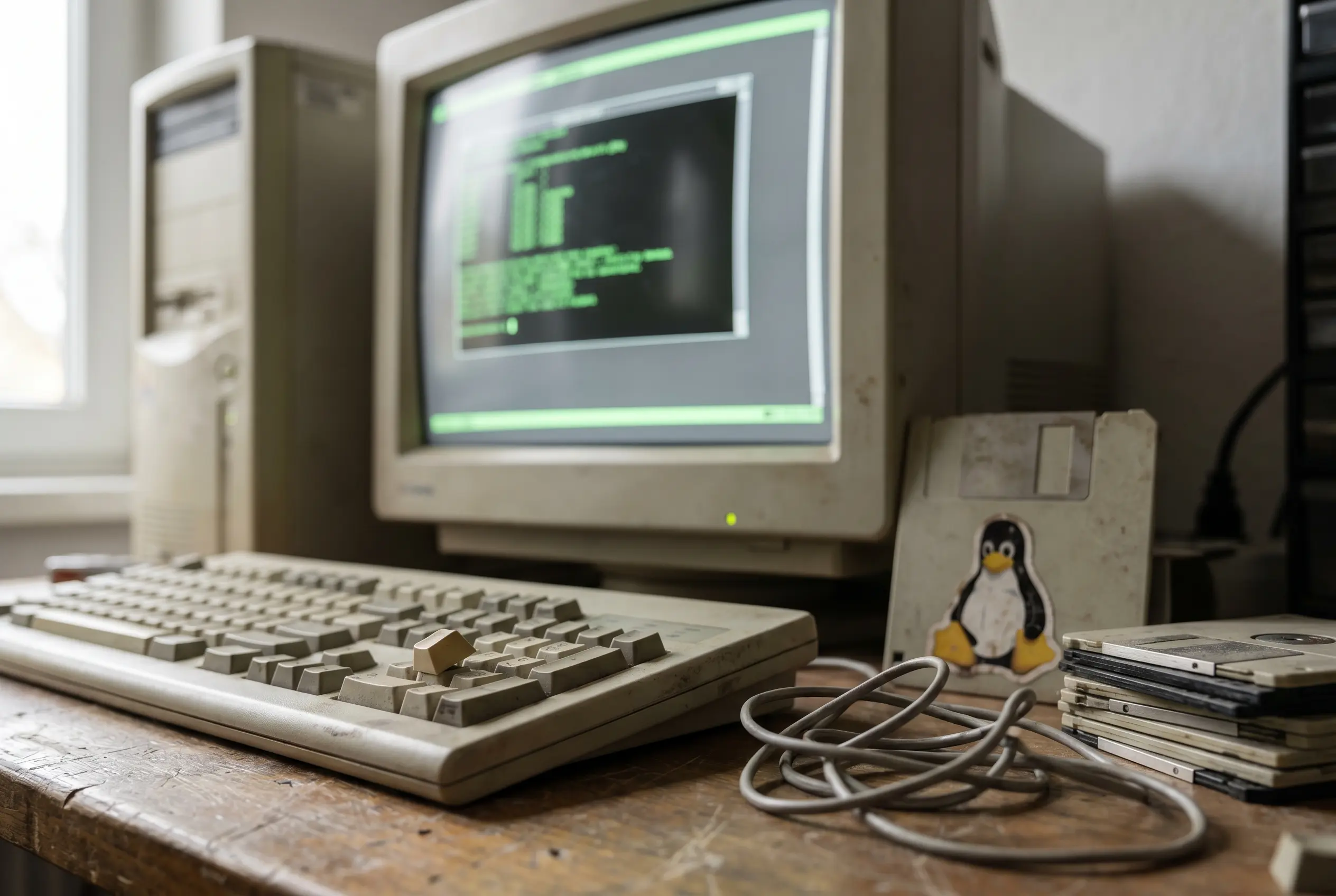
The Windows 95 Linux subsystem called Windows 9x Subsystem for Linux (WSL9x, an independent retrocomputing project) lets the old 9x line from Microsoft, the Windows maker, run a modified Linux 6.19 kernel from a Microsoft Disk Operating System (MS-DOS) prompt, without a conventional virtual machine. Hailey Somerville, an independent developer and retrocomputing hacker, built a trophy screenshot with a maintenance argument.
That argument lands because the trick arrived while the upstream kernel community is trimming the same 486-era support that made the idea feel so improbable. The gag is fun. The timing is the story.
A Hack Built on a Vanishing Contract
Somerville published the WSL9x source repository on Codeberg as code, not as a polished installer. That matters. The project asks the reader to treat compilation, old drivers, disk images, and failure as part of the artifact, rough edges included.
WSL9x runs a modern Linux kernel (6.19 at time of writing) cooperatively inside the Windows 9x kernel
Somerville used that line in the project README. The key word is cooperatively. Instead of putting Linux behind a safe glass wall, the design makes the Linux side and the 9x side share the same privileged floor, which turns the hack into a live test of a compatibility budget that most maintainers no longer want to spend.
Windows 95, Windows 98, and Windows Me were never built for this job. Their driver model belongs to an era when consumer PCs mixed 16-bit legacy expectations with 32-bit ambition. That messy boundary is exactly where the project finds room to move.
The Trick: Turn Faults Into System Calls
A Linux program normally asks its kernel for services through system calls. A Windows 9x kernel has no reason to understand those requests. The project closes that gap with a syscall bridge: Linux reaches a point where it needs host help, a fault is raised, and a Virtual Device Driver (VxD, the low-level driver style used by Windows 9x) catches the request before the old OS treats it as a crash.
The driver then maps the request to Windows 9x application programming interfaces (APIs, the service contracts software uses to ask another layer for work) and hands the result back. The small wsl.com client gives the user a terminal entry point from the DOS side. The elegance is ugly in the best way: Windows stays old, Linux stays demanding, and the driver negotiates.
Microsoft’s original Windows Subsystem for Linux (WSL, its Windows feature for Linux environments) took a cleaner route on Windows NT. In Microsoft’s WSL architecture overview, Linux system calls are handled by kernel-mode drivers named lxss.sys and lxcore.sys, with Linux-compatible interfaces written without Linux kernel code. The 9x version has to improvise because that NT subsystem machinery is absent.
Four Routes Across the Windows Linux Line
The name invites a comparison that can mislead. The modern Windows Subsystem for Linux has two Microsoft-supported shapes, and neither behaves like the 9x experiment. Microsoft’s WSL 2 documentation says WSL 2 uses virtualization technology to run a Linux kernel inside a lightweight utility virtual machine (VM, an isolated guest computer created in software).
| Project | Host | Boundary Method | Main Trade-Off |
|---|---|---|---|
| WSL 1 | Windows NT era | Linux-compatible interfaces translated by Windows kernel drivers | Fast and integrated, but compatibility depended on system-call coverage |
| WSL 2 | Modern Windows | Linux kernel inside a lightweight VM | Broader compatibility, with a virtualization boundary |
| coLinux | Windows 2000 and XP era | Modified Linux kernel ran cooperatively beside the host OS | Clever and fast for its day, but fragile and tied to 32-bit assumptions |
| WSL9x | Windows 95, 98, and Me | Modified kernel plus VxD driver share privileged execution | Wildly instructive, but unsafe by modern expectations |
The table shows why the new project feels like a cousin of several old ideas at once. It borrows WSL’s user promise, coLinux’s cooperative nerve, and the 9x driver’s willingness to live close to the hardware.
The 486 Sendoff Gives the Stunt Its Weight
The maintenance story is already visible upstream. Ingo Molnar, a longtime Linux kernel maintainer, authored the i486 support removal patch that removes CONFIG_M486SX, CONFIG_M486, and CONFIG_MELAN from x86 build options. In plain terms, mainline Linux is preparing to stop offering a fresh kernel configuration for the oldest 486-class targets. That is the old x86 tax finally coming due.
That puts Somerville’s work in a narrow window. The project points a modern kernel at a host family whose cultural peak came from a very different computing economy. Microsoft’s own Windows 95 history says the launch brought midnight store lines, the Start button, the taskbar, Plug and Play hardware setup, and 7 million copies sold in the first five weeks on Microsoft’s Windows 95 launch page.
Compatibility always looks generous after the work is done. Before that, someone has to own every strange edge case. The kernel community’s 486 cleanup and this hobby project’s launch rhyme because they answer the same question from opposite ends: how much old behavior should new code carry?
Ring 0 Makes the Demo Brave and Brittle
Ring 0 is the highest privilege level on x86 processors, the place where kernels and trusted drivers can touch memory and hardware directly. Putting two kernels there gives the old machine no tidy referee. That is why the design can feel magical in a video and unforgiving on a workbench.
- Shared privilege – A serious bug on either side can bring down the whole host because both kernels operate at the privileged layer.
- No hardware wall – The absence of a conventional VM removes a protective barrier that modern users take for granted.
- Build burden – The project is for people comfortable with toolchains, old disk images, and debugging by patience rather than installers.
Those limits are the price of the premise. A normal VM protects the host by keeping the guest at arm’s length; this design wins speed and weirdness by refusing that distance.
Preservation Wins Where Productivity Fails
The closest serious value is education. The Linux kernel User Mode Linux documentation describes User Mode Linux (UML, a port of the Linux kernel that runs as a normal Linux process) as a way to test kernels without breaking the host. The 9x project takes the curiosity in the other direction, asking an old host to help a new guest.
That makes it useful for preservation in a way a museum screenshot is not. Students can see what a system call is, why driver privilege matters, and how far a kernel can be bent before safety disappears. Collectors can use it to document the limits of old boards without pretending the machine has become a daily development box.
If upstream cleanup proceeds, projects like this become saved interfaces rather than daily tools. If maintainers slow the removal, the lesson still holds: old systems survive longest when someone knows exactly where the seam is.
Frequently Asked Questions
What Is the Windows 95 Linux Subsystem?
It is an open source project that lets Windows 9x host a modified Linux kernel through a command-line client and a low-level driver. It is meant for Windows 95, Windows 98, and Windows Me, not modern Windows releases.
Does It Use a Virtual Machine?
No. The design runs a modified kernel cooperatively with the Windows 9x kernel instead of placing it behind a hypervisor. That gives the experiment its charm and its risk, because a fault in privileged code can take down the whole host.
Can It Run on a 486 PC?
Yes, within the project’s intended old x86 target, but treat that as experimental. The upstream kernel is phasing out fresh support for the oldest 486-class configurations, so future kernel versions may need extra patching or older baselines.
How Is It Different From Microsoft’s WSL?
Microsoft’s WSL targets the NT line of Windows. WSL 1 translates Linux calls through Windows kernel drivers, while WSL 2 uses a lightweight VM with a Linux kernel. The 9x experiment has to work through VxD drivers and MS-DOS-era assumptions.
Should Anyone Use It for Daily Work?
No. Treat it as a learning and preservation project for system calls, driver privilege, and legacy hardware. It is unsuitable for secure browsing, production services, or serious development on networks that matter.

-
 TECH1 year ago
Where Garmin Watches are Made and How They are Assembled
-

 AUTO3 months ago
Tesla’s Roadster Is ‘a Few Weeks Away,’ Says Its Chief Designer
-
 NEWS10 years ago
Samsung Releases Galaxy Note7 TV Ad as Reddit AMA Leaks Specs
-
 NEWS10 years ago
Android 7.0 Nougat Rolls Out To Nexus Devices With New Emoji, Features
-
 FINANCE9 years ago
Cardano Price Surges as ADA Enters the Crypto Top Ten List
-
 NEWS10 years ago
Pre-Order the First Camera Made for Facebook Live Streaming Video
-
 FINANCE1 year ago
Binance Suspends Trading and Withdrawals for a System Upgrade
-
 FINANCE9 years ago
RChain Price Jumps Nearly 150% to a New All-Time High of $2.03