
NEWS
Google Wallet Digital Car Key Sharing Gains New Rules

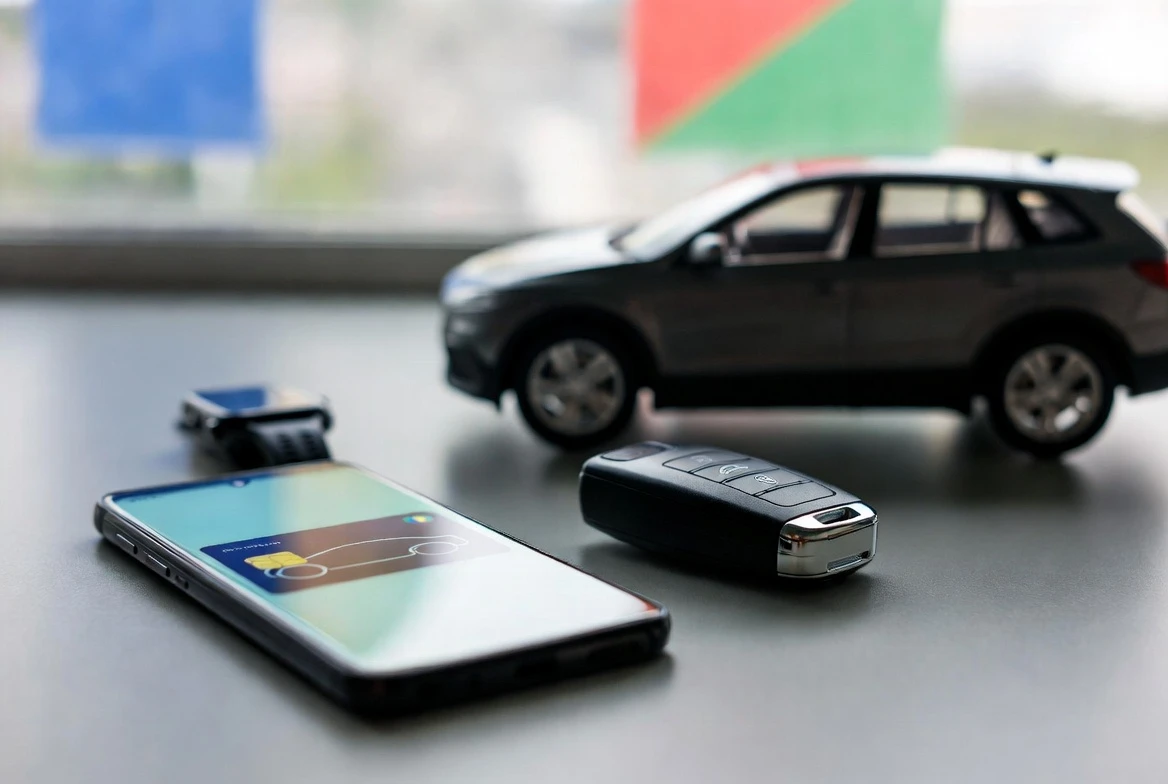
Google Wallet digital car key sharing just moved from a handy trick to an access system. In Google’s May system services update, supported Android users can assign car-key roles for co-owner, guest and service use, then manage who gets access across a phone and watch.
That matters because the phone now has to do more than mimic a fob. It has to decide whether your partner, teenager, valet or mechanic gets the same access you do. The catch sits beneath the clean Wallet card: support still depends on the vehicle, the phone and the automaker software behind it.
Google Put Permission Levels Into the Car Key
The change landed in Google’s Google Play services v26.20 release notes dated May 25, 2026. Under Wallet, Google says authorized users on supported vehicles can reshare keys with family members or service providers and use detailed access control.
New co-owner, guest and service roles also support key sharing between your devices, such as your phone and watch.
That short line carries the update. Google Wallet is adding role-based car access, which means the same owner can treat a spouse, a houseguest and a mechanic differently before sending a key link. It also ties the car key more tightly to Wear OS, Google’s watch operating system, for people who want the key on a wrist as well as a phone.
The Three Roles Change the Social Life of a Car
A physical fob is blunt. Once it leaves your hand, the borrower has whatever the fob has. Wallet sharing gives the owner a menu, and that menu is where the new update starts to feel less like a convenience feature and more like a control panel.
| Wallet Role | Best Fit | Access Idea | Question to Check |
|---|---|---|---|
| Co-owner | Partner, spouse or regular household driver | Broad access, potentially close to the main key on supported cars | Can the recipient reshare or manage the key? |
| Guest | Friend, relative, babysitter or occasional borrower | Borrower access with limits where the car exposes them | Can you set time, driving or activation restrictions? |
| Service | Valet, mechanic, detailer or repair shop | Narrow access for a specific service need | How fast can you revoke it after the visit? |
Read the table as a map, not as a guarantee. Google names co-owner, guest and service at the Wallet layer, while the vehicle decides which switches appear. For a parent, sending the key is only half the job. The useful screen is the one that appears before the invite leaves the phone, where a supported car may expose restricted-driving controls.
Compatibility Still Narrows the Door
The update does not turn every Android phone into every car’s key. Google’s digital car key setup requirements say the feature is limited to select vehicles in select markets, and works with Pixel 6 and later, Samsung Galaxy S21 and later, and select Android devices running Android 12 and up.
The public Android digital car key compatibility page lists brands including Audi, BMW, BYD, Genesis, Hyundai, Kia, Mercedes-Benz, MINI, Polestar, Porsche, RAM, Rivian, Toyota and Volvo. It also says digital key availability and car controls vary by device maker.
The phone list is broader than it used to be, with named entries from Google Pixel, Samsung, Oppo, Xiaomi, Motorola and OnePlus. But the checklist remains supported car, supported phone, supported market. Miss any one of those and Wallet will still be a wallet, just not your car key.
Cross-platform sharing adds another wrinkle. Google says Android owners can share digital car keys with Android and iPhone users, but that does not erase the vehicle requirement. The car still has to recognize the key standard, and the recipient still has to finish setup on a compatible device.
A Shared Key Still Needs a Trust Ritual
Google’s Google Wallet key-sharing instructions keep the flow simple on the owner’s side, but the handoff still has several checkpoints:
- Open Google Wallet and tap the digital car key.
- Tap Share car key, then choose a user or app to receive it.
- Name the shared key and review the settings before sending.
- Send the link, then have the recipient activate it through the wallet app or the car screen.
The step many people will notice is that activation is still the friction point. Google says a first shared key may need an activation code, a physical key or an existing digital key, depending on the vehicle. Revocation also can take time, and some cars do not delete the shared key until another physical or digital key has been used with the car.
The Fleet Angle Hides in Plain Sight
For a household, the update saves a key handoff. For a fleet, it points at scheduling, identity and cleanup. That is the larger shift buried in a feature that most people will first use for a partner, child or mechanic.
The CCC digital key use cases page from the Car Connectivity Consortium, the industry group behind the digital key architecture, describes one owner device and multiple friend devices for sharing, car hire and business uses. It also describes server-based owner devices for fleets, where owner keys can be managed by a company server rather than a single person’s handset.
That is where Google’s role names matter. A rental operator, corporate motor pool or local service fleet does not only need a phone to open a door. It needs a digital permission layer that can issue access, limit it, revoke it and avoid the mess of lost fobs. Wallet is not the whole fleet system, but it is starting to look like the consumer-facing edge of one.
Security Gains Come With New Failure Points
A digital key can be revoked in ways a metal key cannot. The tradeoff is that the access chain now includes the phone, Google Account, carmaker account and vehicle software. Google’s digital car key data-sharing overview says Google may share data with car and phone manufacturers, including a key identifier, the name given to a key, deletion information, the car model identifier and key settings.
Google also tells owners to keep a physical car key available in case the digital version does not work. That advice is not decorative. A dead phone may still unlock and start some cars for a few hours if the key does not require the phone to be unlocked, but model support and settings decide whether that backup mode helps.
The strongest version of this feature gives a driver faster sharing, cleaner revocation and less need to pass around a physical fob. The weaker version leaves the driver juggling app support, activation codes, car software updates and unclear removal timing. In that case, the backup fob still matters.
If automakers expose useful limits, fast removal and service access inside Wallet, this update will change how families and fleets lend cars. If they expose only a generic shared key, most owners will use it once, then go back to asking where the spare fob went.
Frequently Asked Questions
Can I Share a Google Wallet Car Key With an iPhone User?
Yes, Google says digital car key can be shared with Android or iPhone users, but the car and receiving device still need to support the feature. The owner starts from the wallet app, taps Share car key and sends the invitation through a messaging app.
Which Android Phones Support Google Wallet Digital Car Keys?
Google lists Pixel 6 and later, Samsung Galaxy S21 and later, and select Android devices running Android 12 and up. The broader Android compatibility page also names specific Oppo, Xiaomi, Motorola and OnePlus models, so a model check matters.
Do the New Roles Work on Every Car?
No, the new roles apply only on supported vehicles, and Google says digital car key availability and car controls vary by device manufacturer. Treat co-owner, guest and service as a role menu that the carmaker still has to support.
Do I Need the Physical Key After Sharing?
Sometimes, yes. Google says a first shared-key activation may require an activation code, a physical key or an existing digital key, and some vehicles use the car’s own digital key menu for setup.
Can I Revoke a Shared Key Immediately?
You can revoke a shared key in Wallet, but Google says removal may take some time and some cars wait until another physical or digital key is used. If you need immediate removal, check whether the car screen has a delete option.
Can I Move the Key to My Watch?
Yes, on supported setups. Google’s May update says the new roles also support key sharing between your devices, such as a phone and watch, while the main setup guide points owners to Pixel Watch pairing instructions.

-
 TECH1 year ago
Where Garmin Watches are Made and How They are Assembled
-

 AUTO3 months ago
Tesla’s Roadster Is ‘a Few Weeks Away,’ Says Its Chief Designer
-
 NEWS10 years ago
Samsung Releases Galaxy Note7 TV Ad as Reddit AMA Leaks Specs
-
 NEWS10 years ago
Android 7.0 Nougat Rolls Out To Nexus Devices With New Emoji, Features
-
 FINANCE9 years ago
Cardano Price Surges as ADA Enters the Crypto Top Ten List
-
 NEWS10 years ago
Pre-Order the First Camera Made for Facebook Live Streaming Video
-
 FINANCE1 year ago
Binance Suspends Trading and Withdrawals for a System Upgrade
-
 FINANCE9 years ago
RChain Price Jumps Nearly 150% to a New All-Time High of $2.03