
NEWS
Windows 11 Build 26300.8553 Gives Start Menu a Reset

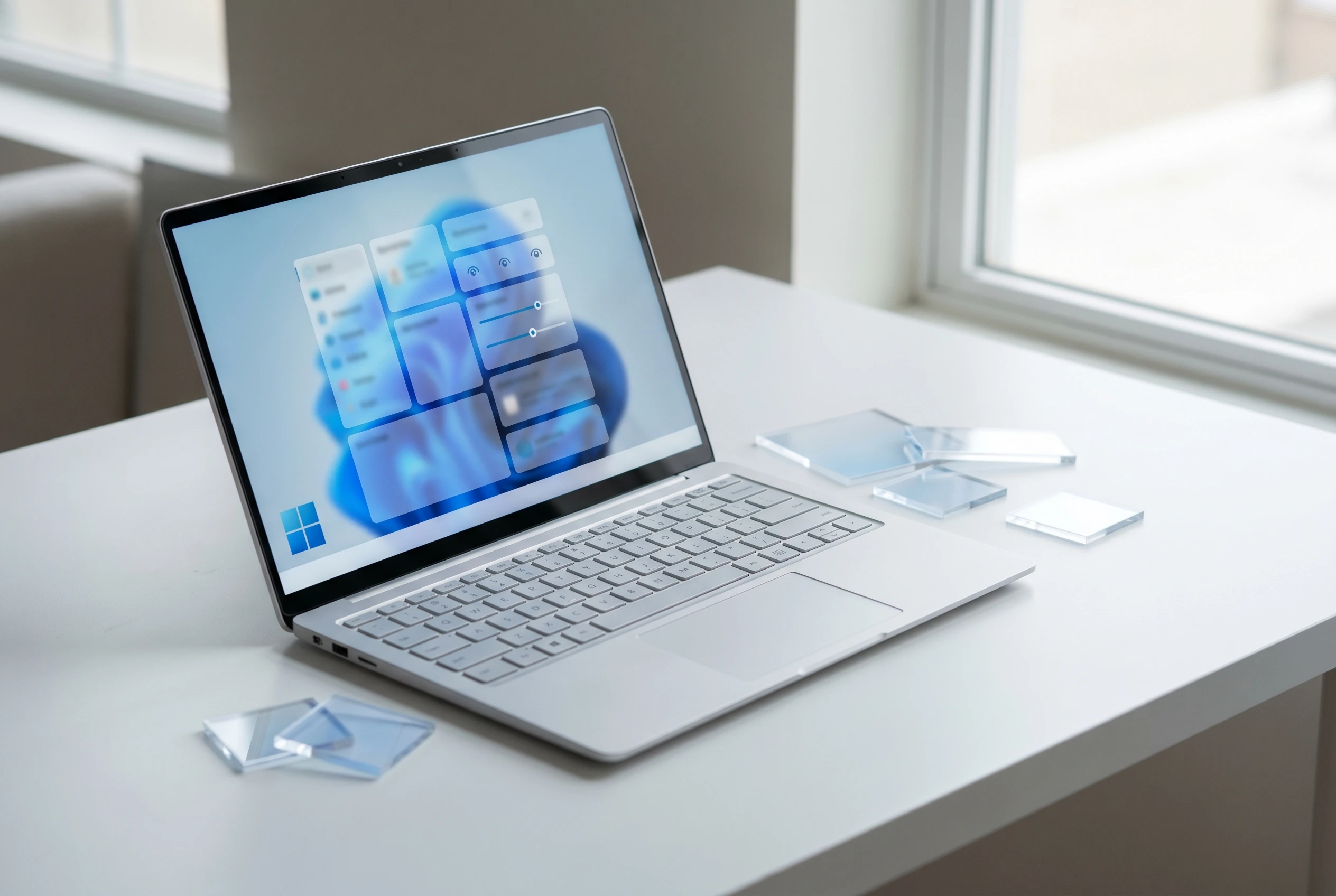
Windows 11 Build 26300.8553 gives Experimental channel testers the Start menu controls Microsoft spent years withholding: size choices, section toggles, a renamed Recent area and an option to hide the account name and profile picture, according to the Experimental build release notes. The change turns a small Insider flight into a public test of whether Windows 11 can trade polish for user control without becoming messy again.
For years, the Windows 11 Start menu carried a bargain: cleaner screenshots in exchange for less agency. This flight starts to unwind that bargain at the same moment the Windows Insider Program is being reorganized around clearer channels, more visible feature switches and sharper consequences for people who pick the wrong branch.
The Start Menu Breaks Into Parts
The first thing to understand is that the menu has been split into separate controls. The new settings separate size, visibility and identity. Users can choose Small or Large instead of leaving the menu only on Automatic, and they can show or hide Pinned, Recommended and All as separate pieces.
That matters most for the lower half of the menu. Recommended has been renamed Recent in Start and in Settings, a wording change that says the section should reflect recently installed apps and recently used files instead of feeling like a feed. The release notes still list the section toggle as Recommended, a small reminder that product labels often change faster than the plumbing underneath.
The account name and profile image can also be hidden. That sounds minor until a user shares a screen in a meeting, records a tutorial or hands a laptop to someone else. In those moments, Start sits at the center of the desktop with personal information attached.
| Surface | Earlier Windows 11 Behavior | New Experimental Control | Reader Impact |
|---|---|---|---|
| Start menu size | Automatic sizing was the practical default | Small, Large and Automatic choices | Better fit for compact laptops, large monitors and mixed setups |
| Menu sections | Pinned, Recommended and All were treated as a fixed composition | one toggle per section | Users can build a pins-first menu or a fuller launcher |
| Recent activity | Recommended carried a broad and sometimes suspicious label | Recent becomes the visible label in Start and Settings | The section gets a clearer job tied to user activity |
| Account identity | Name and profile image appeared in Start | Identity display can be hidden | Less exposure during screen sharing, streaming and shared-device use |
The Bargain Microsoft Is Revising
Microsoft sold Windows 11 as calm. In the Windows 11 launch post, the company said it had put Start at the center and tied recent files to the cloud and Microsoft 365. That vision made sense on a promo page. Daily use exposed the cost: the menu looked cleaner because users had fewer basic choices.
The new build stops short of Windows 10’s free-form tile board, which is wise. The stronger move is smaller: give people the right to decide which parts of Start exist at all. That is control without clutter, and it fits the tone Windows 11 wanted from the start.
One reason this matters is the trust gap around Recommended. Users often read that word as a company hint rather than a record of their own work. Recent gives the section a narrower job the average user can understand before deciding whether to keep it.
The May 15 plan for Start and taskbar made the same point before this build shipped. The company said the Start and taskbar personalization work would let users shape a minimal pins-only menu, a full menu or something in between. Build 26300.8553 is where that promise starts moving from blog copy into testers’ hands.
Experimental Channel Gets the Political Work
There is also a process story here. The build lands in Experimental, the renamed home for many Dev Channel testers, while Beta receives a different set of changes. That split lets the company test visible, argument-prone shell choices with users who signed up for early risk rather than pushing the same interface bet to everyone at once.
The release notes say many features use Controlled Feature Rollout (CFR, the staged release system for turning features on for a subset of testers before expanding them). Testers who want to move faster can check Feature flags under Settings > Windows Update > Windows Insider Program, a blunt but useful admission that the old waiting game frustrated the people the company needed most.
- Check that the device is in Experimental, not Beta, before hunting for the Start menu settings.
- Look for the redesigned Start settings page rather than only right-clicking pinned apps.
- Use Feedback Hub with Desktop Environment > Start if a layout breaks touch, search or keyboard habits.
- Remember that Insider features can change, disappear or ship later in a different form.
Beta Build Shows the Other Track
Beta Build 26220.8544 is useful because it shows what the safer track has been asked to prove. Its headline items are less emotional: consistent solid donut spinners across boot, logon, restart, shutdown and update; the same Search by Substring change; and a printer setting that controls whether supported new printers install through Windows Ready Print.
The search change may age better than the Start menu screenshots. Files such as MeetingNotesApril and ProjectStatusReport can surface when a user types april or status, according to the Beta build release notes. That is the kind of fix that disappears into muscle memory once it works.
The spinner change is smaller, but it says something about Windows quality work. Boot and update screens are the places where users decide whether the machine is alive, stuck or wasting their time. Consistent status text does not make a slow update fast, but it can reduce the panic that starts when every screen appears to speak a different visual language.
Put beside the Experimental build, Beta looks deliberately boring. That is useful. It gives the preview program a division of labor: one channel tests the front door, while the other tests the habits that make the house feel reliable.
Printing Hints at a Deeper Windows Cleanup
The printer toggle deserves more attention than it will get. Windows Ready Print is the consumer-facing label for a shift toward the Internet Printing Protocol (IPP, a standard way for devices to print over a network without a vendor-specific driver path). When enabled, supported printers install through IPP by default; when disabled, other install methods may be used.
That setting follows a longer driver plan. The third-party printer driver servicing plan says Windows already supports Mopria-compliant printers through the Microsoft IPP Class Driver, and that the ranking order for drivers changes on July 1, 2026 to prefer the IPP inbox class driver. Third-party updates are narrowed further a year later, except for security-related fixes.
For home users, this can sound like plumbing. For IT admins, the risk moves. Fewer vendor drivers can mean fewer strange installers, fewer support pages and fewer legacy print bugs. It can also mean edge-case devices get more awkward if their best features depend on older packages.
The safer reading is that this Beta item belongs in the same family as the Start changes. One governs a launcher; the other governs printer setup. The design principle carries across both.
The Calendar Risk Sits Outside Start
The highest-stakes item in the May 29 build announcement sits below the build list. Users who selected Windows 11 version 26H1 under Advanced options will begin receiving that version on June 5. Anyone who wants to remain aligned with 25H2 should reselect 25H2 before that date.
The reason comes from the Windows core, not the shell. Version 26H1 targets new device innovations, including Qualcomm Snapdragon X2 Series processors, and it sits on a different Windows core than 24H2, 25H2 and the next annual feature update. Users who take 26H1 and later want to return to 25H2 are looking at a complete reinstall.
That matters for anyone reading the Start menu news as a simple personalization update. The same settings app now asks Insiders to make choices about build risk, hardware direction and reinstall paths. A tester can get the new menu and still be one careless branch selection away from a much heavier maintenance job.
There is a hardware wrinkle too. The same announcement says AMD machines with System Guard support will not be offered that week’s Experimental Future Platforms build because of crash issues found internally. The Start menu build is separate, but the note is a useful warning: the new Insider map gives more choice, and every extra choice needs a clearer warning label.
The Habit Test for Windows 11
The Start menu changes will be judged less by screenshots than by daily repetition. If Small, Large and Automatic behave predictably across monitors, users may forget the option exists because it did its job. If hiding Recent leaves empty space, broken search patterns or inconsistent defaults, the old complaint returns under a new label.
The best version of this change would spread beyond Start. Taskbar position, search behavior, account identity, printer defaults and feature flags all point toward the same product lesson: Windows users can tolerate opinionated defaults when the exit ramps are visible.
If these controls survive the Insider cycle with clean edges, Build 26300.8553 will look like the moment Windows 11 started negotiating with its users again. If they get buried, narrowed or delayed, the Start menu will remain a reminder that choice offered late still has to earn trust.

-
 TECH1 year ago
Where Garmin Watches are Made and How They are Assembled
-

 AUTO3 months ago
Tesla’s Roadster Is ‘a Few Weeks Away,’ Says Its Chief Designer
-
 NEWS10 years ago
Samsung Releases Galaxy Note7 TV Ad as Reddit AMA Leaks Specs
-
 NEWS10 years ago
Android 7.0 Nougat Rolls Out To Nexus Devices With New Emoji, Features
-
 FINANCE9 years ago
Cardano Price Surges as ADA Enters the Crypto Top Ten List
-
 NEWS10 years ago
Pre-Order the First Camera Made for Facebook Live Streaming Video
-
 FINANCE1 year ago
Binance Suspends Trading and Withdrawals for a System Upgrade
-
 FINANCE9 years ago
RChain Price Jumps Nearly 150% to a New All-Time High of $2.03