
NEWS
Qilin Ransomware Mines Windows RDP Logs to Pick Its Next Victim

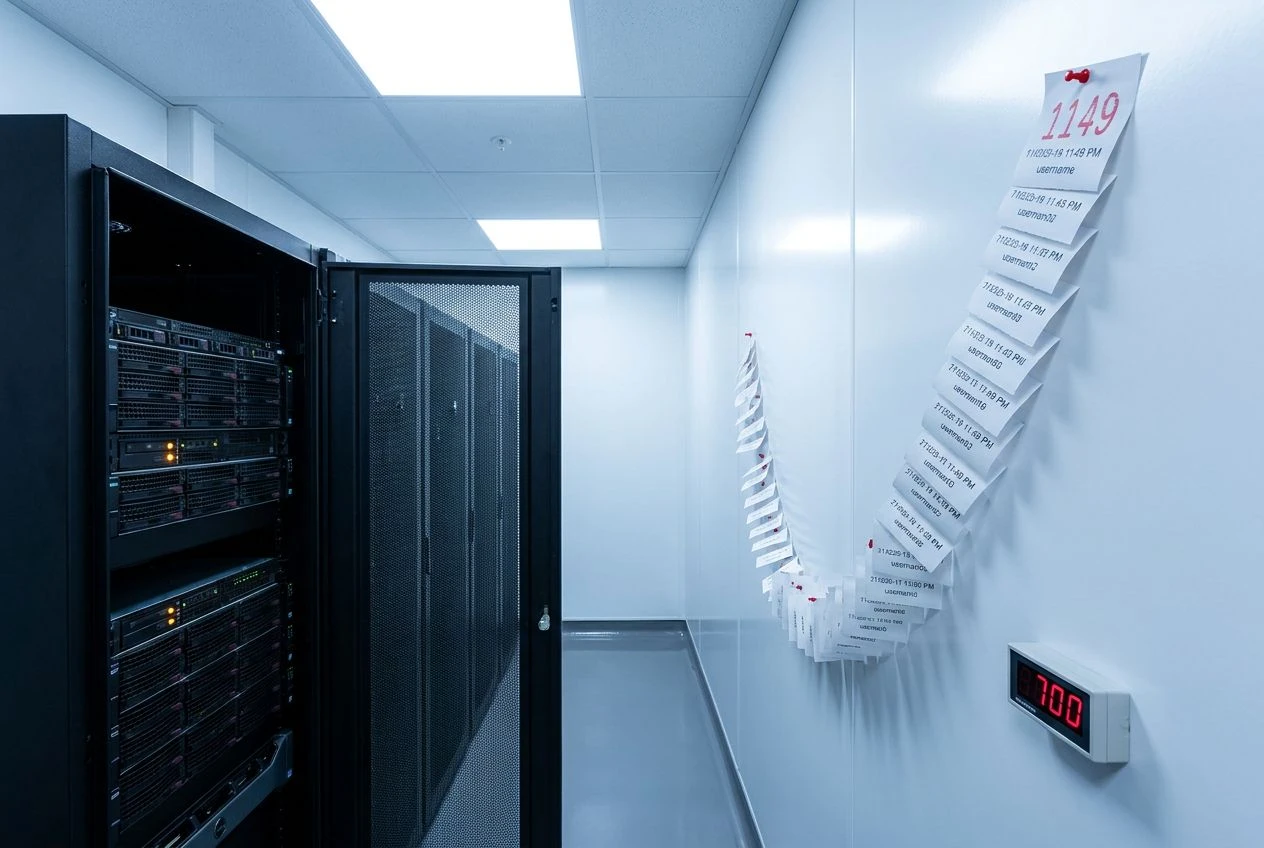
Qilin ransomware operators have started reading Windows’ own remote-login logs to figure out who to attack next, a stealth move security researcher Maurice Fielenbach of Hexastrike spotted on a recently compromised server. Instead of running the loud network scans defenders watch for, the attackers fired off a single PowerShell query against Event ID 1149 in the Microsoft-Windows-TerminalServices-RemoteConnectionManager/Operational log and walked away with a ranked list of every account that had touched the box over RDP, plus the source machines that connected. The script arrived through a rogue ScreenConnect installation. The whole reconnaissance run made almost no noise.
That trick, paired with Qilin’s surge past 700 confirmed victims in 2025, is reshaping how blue teams think about lateral movement.
Inside Qilin’s Quietest Recon Trick
Fielenbach’s finding, first detailed in a writeup picked up by Cyber Security News, shows Qilin pulling every Event ID 1149 from a single host. The query returns the username, the domain, and the client IP for each session, in one shot.
That data is gold. It tells the operator which accounts log in from admin laptops, which ones get used by jump servers, and which look privileged enough to recycle for the next hop. No SharpHound. No BloodHound collector. No Active Directory query that would trip a SIEM rule.
The reconnaissance fingerprint of a modern ransomware crew now looks more like an audit log query than an exploit. It is the kind of move that earns a long dwell time before encryption ever starts.
Why Event 1149 Is the Perfect Hiding Place
Event ID 1149 is a forensic favorite for incident responders, but it sits in a corner of the Windows event store that many SOCs never wire up to their detection stack. As Cyber Triage’s artifact reference notes, the entry records that a network channel was opened for an RDP attempt, not that a login actually succeeded.
That is a critical caveat. To confirm a real login, defenders have to correlate 1149 with Security log Event ID 4624 or with entries from the Local Session Manager log. Skip that step and you misread half the data.
The catch, and the reason Qilin loves this log, is that it usually outlives the Security log. Even when a noisy attack rotates the Security channel out of buffer, the RemoteConnectionManager Operational channel keeps the connection history. Splunk’s data source guide for the channel recommends explicit ingestion because most environments do not forward it by default.
The Comparison Defenders Keep Missing
The two logs read like cousins, but they answer different questions. Treating them as interchangeable is how teams miss real intrusions.
| Log | Event ID | What it proves | Typical SIEM coverage |
|---|---|---|---|
| RemoteConnectionManager Operational | 1149 | An RDP channel was opened to the host | Often not forwarded |
| Security | 4624 | An interactive or network logon succeeded | Almost always forwarded |
| LocalSessionManager Operational | 21, 22, 25 | The session was created, shell started, or reconnected | Inconsistently forwarded |
Pair them and you see the full RDP arc. Read 1149 alone and you can be fooled by failed attempts, port scans, or, in this case, an attacker pulling history.
The ScreenConnect Delivery Path
Qilin did not bring its own backdoor into the network for this job. The PowerShell script ran out of a fresh, attacker-installed ScreenConnect agent that looked indistinguishable from a managed service provider’s tooling.
Sophos has been tracking that exact pattern. In an MDR investigation published this year, the company described Qilin affiliates spear-phishing MSP ScreenConnect admins, then using that foothold to push agents into customer environments downstream. ConnectWise’s own customers became the shortest path to the customers’ customers.
The ScreenConnect pivot also explains why the malicious PowerShell shows up under a process tree that, on first glance, looks like routine remote support. Detection engineers chasing Qilin in the past 90 days have started flagging any new ScreenConnect relay process executing PowerShell with event log access as an automatic high-severity case.
From 45 Hits in 2023 to 700 in a Single Year
Qilin, also known as Agenda, first surfaced in July 2022 on Russian-speaking forums DutyFree and RAMP. It claimed roughly 45 victims in 2023, picked up speed during 2024, and detonated through 2025 after the RansomHub affiliate program collapsed and free agents flooded into Qilin’s panel.
The growth curve is not subtle.
- 700+ victims claimed across 62 countries since January 2025, per Trend Micro Research.
- $50 million+ in ransom payments collected during 2024 alone.
- 80% to 85% affiliate share, climbing past the $3 million ransom threshold, one of the most generous splits in the RaaS market.
- One confirmed patient death linked to the June 2024 Synnovis attack on NHS pathology services in London, which the NHS later attributed to Qilin in a 2025 disclosure.
A Short Timeline of How They Got Here
- July 2022. Qilin/Agenda emerges, recruits affiliates on Russian-language forums.
- 2023. Roughly 45 confirmed attacks, mostly in healthcare and manufacturing.
- June 2024. Synnovis breach disrupts blood transfusions across King’s College and Guy’s and St Thomas’.
- Early 2025. RansomHub goes dark; affiliates migrate; Qilin volume triples.
- October 2025. Trend Micro reports Linux ELF encryptors deployed inside Windows hosts via WSL and Splashtop.
- 2026. Hexastrike documents the Event 1149 enumeration trick now woven into live intrusions.
Linux Binaries Running Inside Windows
The RDP log trick lives inside a wider stealth philosophy. The same operators have been deploying Linux ELF ransomware on Windows hosts by either enabling Windows Subsystem for Linux on the box or using Splashtop Remote and WinSCP to push and run the binary from outside.
The point is to dodge endpoint tools tuned almost exclusively for Windows PE files. Many EDR products simply do not inspect ELF execution under WSL with the same depth they apply to native processes.
“The deployment of Linux ransomware on Windows systems demonstrates how threat actors are adapting to bypass endpoint detection systems not configured to detect or prevent Linux binaries executing through remote management channels,” Trend Micro researchers wrote in the firm’s October analysis.
Combine that with Bring Your Own Vulnerable Driver tactics, the SOCKS proxy clusters Qilin scatters across system directories for command-and-control, and the new RDP log harvesting, and the picture is of a crew that wants to spend as little time touching anything an analyst would call malware.
Talos researchers reached a similar conclusion in a multi-case writeup, noting Qilin operators consistently lean on legitimate admin tooling, harvested credentials, and PsExec for the dirty work, rather than custom implants.
What Defenders Should Do This Week
The detection plan for this specific Qilin tradecraft is not theoretical. Hexastrike and several MDR teams have converged on a tight set of controls that catch the behavior before encryption starts.
- Turn on PowerShell ScriptBlock Logging across every endpoint, not just servers. Non-admin processes have no business querying RemoteConnectionManager events.
- Forward the Microsoft-Windows-TerminalServices-RemoteConnectionManager/Operational channel to the SIEM and alert on bulk reads of Event ID 1149.
- Inventory installed remote management tools weekly. Flag any new instance of ScreenConnect, AnyDesk, Atera, Splashtop, or Total Software Deployment that the ticketing system did not authorize.
- Alert on Microsoft Defender tampering events, especially within an hour of an unsanctioned RMM install.
- Correlate Event 1149 with Security Event 4624 and Local Session Manager events 21 and 25 before treating an RDP touch as benign.
- Audit WSL availability on production servers and disable it where it is not in use, given Qilin’s documented abuse of the subsystem.
Together, those signals, observed in the same window, look less like normal IT activity and more like the pre-encryption checklist Qilin has been running on victims for months.
Frequently Asked Questions
What is Qilin ransomware and who runs it?
Qilin, also tracked as Agenda, is a Ransomware-as-a-Service operation that surfaced in July 2022 and is widely assessed to be run by Russian-speaking operators. The core team rents the locker to affiliates, takes 15 to 20 percent of every paid ransom, and forbids attacks on Commonwealth of Independent States targets.
What is Windows Event ID 1149 and why does Qilin care about it?
Event ID 1149 is logged in the Microsoft-Windows-TerminalServices-RemoteConnectionManager/Operational channel each time an RDP connection request reaches a host. It captures the username, domain, and source IP. Qilin operators query it to map who logs in remotely, from where, and which accounts are likely privileged, all without running detectable scans.
Does Event ID 1149 prove someone successfully logged in?
No. The event only confirms an RDP channel was opened. To prove a successful interactive logon, defenders must correlate 1149 with Security log Event ID 4624 or with Local Session Manager events 21 and 25. Treating 1149 alone as a login record produces false positives and missed intrusions.
How is the malicious PowerShell delivered to victims?
In the Hexastrike case, the script was launched through a rogue ScreenConnect agent the attackers installed during initial access. Qilin affiliates have also been spear-phishing managed service provider admins to abuse legitimate ScreenConnect tenants, then pushing tools downstream into customer networks.
Why has Qilin grown so fast in 2025?
The collapse of the RansomHub affiliate program in early 2025 sent experienced operators looking for a new home, and Qilin’s high payout split, Linux variant, and active leak site pulled them in. The group surpassed 700 confirmed victims across 62 countries in the year, with healthcare, manufacturing, financial services, and technology hardest hit.
What is the single most important detection to add today?
Forwarding the RemoteConnectionManager Operational log to the SIEM and alerting on a single process reading more than a handful of Event 1149 entries. Combined with PowerShell ScriptBlock Logging, that one rule would have caught the behavior Fielenbach documented before the operators picked their next target.
For security teams, the takeaway is straightforward. Qilin is not breaking down the door. It is reading the visitor log, picking the names that matter, and walking out the way it came in. Closing that gap means treating Windows’ own remote-access telemetry as a tier-one detection source rather than a forensic afterthought.

-
 TECH1 year ago
Where Garmin Watches are Made and How They are Assembled
-

 AUTO3 months ago
Tesla’s Roadster Is ‘a Few Weeks Away,’ Says Its Chief Designer
-
 NEWS10 years ago
Samsung Releases Galaxy Note7 TV Ad as Reddit AMA Leaks Specs
-
 NEWS10 years ago
Android 7.0 Nougat Rolls Out To Nexus Devices With New Emoji, Features
-
 FINANCE9 years ago
Cardano Price Surges as ADA Enters the Crypto Top Ten List
-
 NEWS10 years ago
Pre-Order the First Camera Made for Facebook Live Streaming Video
-
 FINANCE1 year ago
Binance Suspends Trading and Withdrawals for a System Upgrade
-
 FINANCE9 years ago
RChain Price Jumps Nearly 150% to a New All-Time High of $2.03