
NEWS
Apple’s iPhone Snatch-Lock May Lean on Your Apple Watch

Apple is working on a new iPhone snatch detection system that would lock the screen the instant a thief grabs the phone from your hand, according to code spotted by the Apple news site 9to5Mac. The phone would read its own accelerometer and gyroscope, decide that a sudden grab does not match normal handling, and lock itself before a stranger can reach your banking apps or saved passwords.
One detail in that code has gone mostly unmentioned in the early coverage. The feature also checks the distance to a paired Apple Watch, which suggests the upgrade may work best, and possibly only, for people who carry two Apple devices at once.
Apple’s Code Points to an Instant Lock on a Snatch
The report came from 9to5Mac, which says it found references in active development code to a feature that watches for the physical signature of a theft. MacRumors picked up the same report on May 27, describing a system that locks a stolen iPhone the moment it is taken.
The mechanics are straightforward. The accelerometer registers the sharp, sudden movement of a grab, and the gyroscope reads the abrupt change in orientation that follows as the phone is pulled away and pocketed. Together those readings let the phone separate a real snatch from the ordinary jostle of being handed to a friend or dropped into a bag.
Once the phone decides it has been taken, it locks the screen and switches on the protections Apple already ships under Stolen Device Protection. The code points to a rollout with iOS 27, the version Apple is expected to preview at its Worldwide Developers Conference (WWDC, Apple’s annual software event) in June. Apple has not announced the feature, and code seen this early can change or disappear before release.
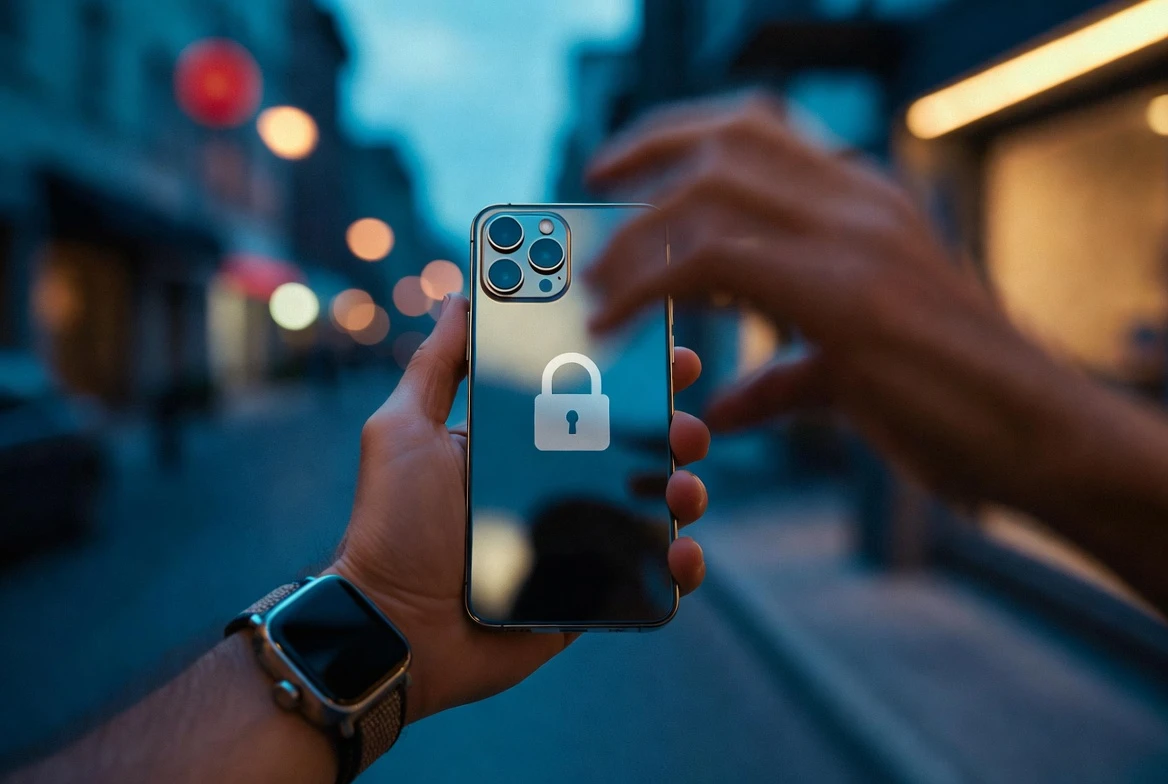
The Apple Watch Becomes Part of the Trigger
Here is the line that most write-ups skipped. 9to5Mac quoted the development code directly on how the phone decides a grab is real.
To further determine whether the iPhone may have been taken from its owner, the feature will also observe the distance from a paired Apple Watch.
That single sentence changes how you read the whole feature. A phone on its own can only guess at a snatch from motion. A phone that also knows your watch is still on your wrist, and that the handset just shot away from it, has an independent second signal that the two were separated by force rather than because you set the phone down.
The open question is whether the watch makes detection faster and more accurate, or whether it edges toward a requirement. Apple has not said. If proximity to the wearable becomes central, the cleanest version of this protection would land with customers who already own both pieces of hardware, while a plain iPhone owner might get a weaker read or none at all. That fits a pattern in Apple’s longer-term iPhone hardware plans, where features increasingly assume you live inside more than one Apple device.
Stolen Device Protection Sets the Rules It Inherits
The snatch feature does not work alone. The code says it follows the same conditions as Stolen Device Protection, the security layer Apple introduced with iOS 17.3 in early 2024. That means it weighs whether the iPhone is on a familiar Wi-Fi network and whether it sits at a familiar location such as home or work before it reacts.
The protection is now on by default, rather than something you have to dig into Settings to switch on. When your iPhone is away from those familiar places, it adds two barriers that a thief who knows your passcode cannot get past easily:
- Biometric only access for sensitive actions, meaning Face ID or Touch ID with no passcode fallback, covering saved passwords, payment methods and erasing the device.
- A one-hour security delay plus a second Face ID or Touch ID check before critical changes, such as altering your Apple Account password, signing out, or turning the protection off.
- Tighter limits on identity changes, so a thief cannot quickly add their own face to Face ID and lock you out of your own phone.
According to Apple’s Stolen Device Protection support page, the delay and biometric rules apply only when the phone is away from home or work, though you can set them to apply everywhere. The snatch detector would sit on top of this, doing the locking automatically instead of waiting for you to mark the phone as lost.
Android Shipped Theft Detection Lock First
Apple would not be first here. Google rolled out Theft Detection Lock for Android in 2024, and it does much the same job. The company describes a feature that uses on-device artificial intelligence to sense when someone snatches your phone and tries to run, bike or drive away, then locks the screen to keep a thief out of your data.
Google paired it with two related tools: Offline Device Lock, which locks the screen when a phone is kept offline for a stretch, and Remote Lock, which lets you secure the handset with just your phone number. Here is how the reported Apple feature lines up against what Android already offers, based on Google’s Android theft protection details.
| Feature | Apple (reported, in code) | Android Theft Detection Lock |
|---|---|---|
| Detection signals | Accelerometer, gyroscope and paired-watch proximity | On-device AI reading motion, plus Wi-Fi and Bluetooth status |
| On a snatch | Locks screen, triggers the existing protection layer | Locks screen automatically |
| Extra layers | Stolen Device Protection delays and biometric checks | Offline Device Lock and Remote Lock |
| Status | Unreleased, seen in development code | Live on Android 10 and later since 2024 |
Why Snatch Detection Matters Now
The reason both companies are chasing this is simple. Phone theft turned into an organised street business, and big cities became the hunting ground.
London is the clearest example. The Metropolitan Police recorded about 81,365 phone thefts in 2024, a number that fell to roughly 71,391 in 2025 after a year-long policing crackdown on phone theft, a drop of around 12 percent. The decline is real, yet the raw scale stays huge.
- £50 million worth of phones were reported stolen in London in 2024, according to the Mayor of London’s phone theft crackdown plan.
- 71,391 phone thefts were logged across the capital in 2025, down from 81,365 a year earlier.
- 248 arrests and about 770 recovered phones came from a single recent four-week police operation.
Apple’s pitch reaches beyond the lost hardware. A snatched phone that is still unlocked can hand a thief live access to email, messages and money, which is why locking it in the first second matters far more than tracking it later.
What an Auto-Lock Still Can’t Stop
An instant lock solves the front-end problem and does little about what happens after.
The New York Times reported that thieves who cannot wipe a stolen iPhone, because the owner’s Apple ID is still attached, sometimes turn to pressure instead. They can reach the emergency contact stored on the locked phone, and in some cases have harassed or even threatened that person to force the owner into removing the Apple ID.
That is the limit of any motion-based defence. It can stop a stranger from spending your money in the minutes after a grab, but it cannot stop a determined thief from working the human angle once the hardware is in their hands. No security is perfect, and a snatch lock would add friction rather than a guarantee.
Apple has not confirmed the feature exists, so the open items are genuine. Whether your next iPhone can lock itself the moment it leaves your hand, and whether it needs a watch on your wrist to be sure, should become clear when iOS 27 gets its first public preview in June.
Frequently Asked Questions
Is iPhone Snatch Detection Available Now?
No. The feature exists only in iPhone development code that 9to5Mac reported in May, and it has not shipped to any device. The code suggests it could arrive with iOS 27, but Apple has not confirmed it publicly.
Will the Feature Need an Apple Watch to Work?
It is not clear yet. The code references checking the distance from a paired watch as one of the signals that a phone has been snatched. That may make detection faster or more reliable for people who own both, but Apple has not said whether the watch is required.
How Do I Turn on Stolen Device Protection Today?
Open Settings, tap Face ID & Passcode, then Stolen Device Protection. It is on by default on iOS 17.3 and later, and Apple’s iPhone guide to the setting walks through the steps.
What Does Stolen Device Protection Actually Block?
Away from home or work, it requires Face ID or Touch ID with no passcode fallback for sensitive actions, and it adds a one-hour delay plus a second biometric check before changes like an Apple Account password reset or signing out.
Does Android Have a Similar Feature?
Yes. Google’s Theft Detection Lock has used on-device AI to lock Android phones during a snatch since 2024, alongside Offline Device Lock and Remote Lock.

-
 TECH1 year ago
Where Garmin Watches are Made and How They are Assembled
-

 AUTO3 months ago
Tesla’s Roadster Is ‘a Few Weeks Away,’ Says Its Chief Designer
-
 NEWS10 years ago
Samsung Releases Galaxy Note7 TV Ad as Reddit AMA Leaks Specs
-
 NEWS10 years ago
Android 7.0 Nougat Rolls Out To Nexus Devices With New Emoji, Features
-
 FINANCE9 years ago
Cardano Price Surges as ADA Enters the Crypto Top Ten List
-
 NEWS10 years ago
Pre-Order the First Camera Made for Facebook Live Streaming Video
-
 FINANCE1 year ago
Binance Suspends Trading and Withdrawals for a System Upgrade
-
 FINANCE9 years ago
RChain Price Jumps Nearly 150% to a New All-Time High of $2.03