
NEWS
OnePlus Nord CE6 Lite Update Tests Trust After Launch

The OnePlus Nord CE6 Lite update now rolling out in India turns a routine maintenance file into an early test of OnePlus’s new budget phone discipline. The OxygenOS 16.0.5.901 build adds Motion cues for passengers using the phone in a vehicle, integrates the May Android security patch, and fixes camera, network, power and black-screen problems.
That mix matters because early Nord buyers are judging the phone while launch impressions are still fresh. A camera tweak can wait; a blank screen after unlocking cannot. On a value phone sold around battery life and long smoothness, the uneventful rollout is the selling point.
The India Rollout Brings More Than a Patch Date
OnePlus is pushing the new build as a phased over-the-air release, which means some Indian units will see it before others. That is normal for OxygenOS, but the timing is tighter than usual: owners are still in the first few weeks of living with the device, and every early update tells them whether the phone will age quietly.
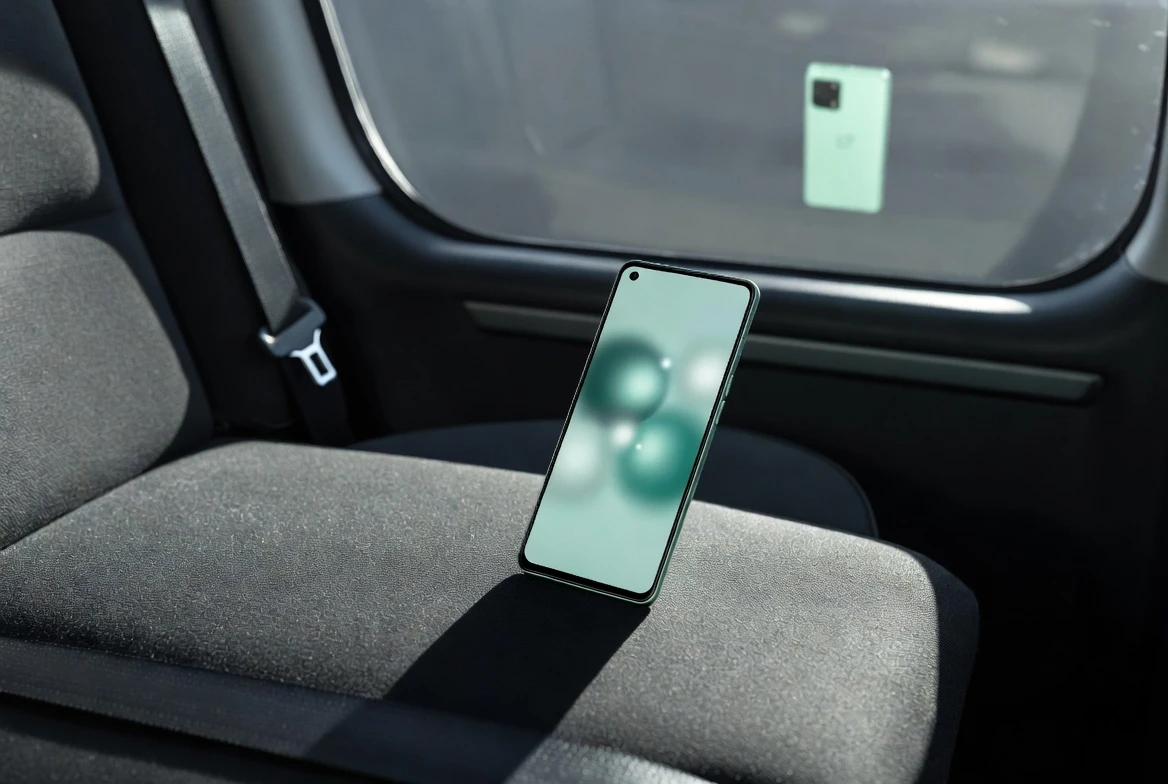
The headline addition is Motion cues, found through Settings, Accessibility and convenience, then Motion cues. The feature is meant for passengers who feel discomfort while reading or scrolling in a moving car. Instead of asking users to change behavior, the phone adds visual cues that can reduce the sensory mismatch that triggers nausea for some people.
The rest of the changelog is less flashy and more important day to day. It cites lower power consumption, better system stability, improved camera performance and stability, stronger network compatibility, plus a fix for an issue where the screen could turn black after the device was unlocked. The official OnePlus Community remains the place to check the Nord CE update threads from OnePlus as batches widen.
Why the Vehicle Cue Belongs on a Cheaper Phone
The useful part about the cue system is where it lands. Comfort features often start as flagship flourishes, then drift down once a brand sees that people use them. Bringing one to a Lite device turns a small accessibility idea into a mass-market feature.
OnePlus sells the Lite model around endurance and smoothness: the official Nord CE6 Lite product page lists a 7000mAh battery, 45W SUPERVOOC charging, a 144Hz display, MediaTek Dimensity 7400 Apex silicon, and a 60-month smoothness claim. A comfort tool for commuting fits that pitch better than another artificial intelligence shortcut that many buyers may ignore.
It also gives OnePlus a low-risk place to improve accessibility on high-volume hardware. The feature does not need a new camera sensor or a faster chip. It needs software, tuning and a menu slot people can find while sitting in the passenger seat.
The catch is expectation. If a feature is promoted as comfort tech, the phone must not feel less stable after install. That is why the black-screen fix sits in the same story as the new cue system. The update is trying to make the phone easier to use and harder to trip up.
The May Security Patch Is the Heavy Lift
Google published the May Android Security Bulletin on May 4, 2026 and updated it on May 7, 2026. The key detail for phone owners is the patch level string, because that is what the settings screen should show after the update lands.
Security patch levels of 2026-05-01 or later address all of these issues.
That line comes from Google’s May Android Security Bulletin for Android devices. The bulletin lists CVE-2026-0073, a Common Vulnerabilities and Exposures identifier, as a critical remote code execution (RCE, a bug class that can let code run from outside the device’s normal app path) issue in the System component, with no user interaction needed for exploitation in the listed scenario.
For a midrange phone, that makes the security piece more than a monthly badge. OnePlus can tune camera and network behavior later, but a missing patch level leaves owners behind the Android baseline. After installation, the quickest proof sits in Settings under the Android security update date, alongside the version number.
The Build Number Deserves a Second Look
The reported India firmware string for this rollout is IN: CPH2805_16.0.5.901(EX01). Owners should read that whole string, not just the last three digits. Public OnePlus Community indexing has also shown CPH2805 on standard Nord CE6 posts, while a prior Lite post surfaced with CPH2943. The safer reading is simple: manual update hunting is a bad shortcut.
Over-the-air delivery filters by region and device. A downloaded package passed around in a chat group does not give the same reassurance, especially when the CE and CE Lite names sit so close together.
| Public Reference | Device Named | Build or Patch Shown | Reader Action |
|---|---|---|---|
| Current India rollout report | Lite model | CPH2805_16.0.5.901(EX01) | Install only from the phone updater |
| OnePlus Community indexed CE6 thread | Standard CE6 | CPH2805_16.0.5.703(EX01) | Do not use CPH2805 alone as proof |
| OnePlus Community indexed Lite thread | Lite model | CPH2943_16.0.5.808(EX01) | Check About device before comparing notes |
| Android patch level | Android devices | 2026-05-01 | Verify the security date after reboot |
A Safer Install Routine for a Phased OTA
Most owners should treat this as an over-the-air (OTA, the normal update delivered through the phone) install and resist the urge to chase a package file. Google’s general Android update guidance says users can check version and security status in Settings, and recommends Wi-Fi plus at least 75 percent battery before updating.
The basic routine is boring, which is the point. Follow Google’s Android update checklist, then add a few OnePlus-specific checks before tapping install.
- Check the exact model in Settings before comparing build numbers online.
- Back up recent photos, chats and authenticator recovery codes before any system update.
- Use Wi-Fi, keep the battery comfortably above the minimum, and leave the phone plugged in if possible.
- Avoid local update files unless OnePlus support gives a device-specific instruction.
- After reboot, confirm the build string, Android security update date, camera behavior and mobile data stability.
If the updater says no build is available, waiting a few days is usually safer than forcing it. Phased releases exist so a company can spot failures before a problem lands on every device at once. For this phone, patience is part of the quality control.
OnePlus Needs a Quiet First Month
This update lands against a recent OxygenOS caution sign. On May 15, OnePlus said in an official temporary suspension notice for OxygenOS builds that it had paused 16.0.7.xxx and 16.0.5.xxx releases after a small number of devices showed abnormal restart and boot issues.
Three days later, the company said in a rollout resumption note for the same OxygenOS versions that the issue had been identified and resolved, and that the abnormal behavior was tied to a build not pushed externally. That sequence changes how the .901 build should be judged. Fast rollout is nice. Predictable rollout is better, especially for a phone whose buyers may keep it for years rather than flip it after one upgrade cycle.
The product pitch around 60 months of fluency and long battery health gives OnePlus a clear standard: make maintenance boring. The .901 build is a useful first try because it pairs the visible cue feature with dull fixes that remove small daily annoyances.
If the rollout reaches most Indian units without repeating the display or boot concerns it is meant to move past, the Lite’s first software month becomes a footnote. If it stalls, buyers will remember the wait more than the dots on the screen.

-
 TECH1 year ago
Where Garmin Watches are Made and How They are Assembled
-

 AUTO2 months ago
Tesla’s Roadster Is ‘a Few Weeks Away,’ Says Its Chief Designer
-
 NEWS10 years ago
Samsung Releases Galaxy Note7 TV Ad as Reddit AMA Leaks Specs
-
 NEWS10 years ago
Android 7.0 Nougat Rolls Out To Nexus Devices With New Emoji, Features
-
 FINANCE9 years ago
Cardano Price Surges as ADA Enters the Crypto Top Ten List
-
 NEWS10 years ago
Pre-Order the First Camera Made for Facebook Live Streaming Video
-
 FINANCE1 year ago
Binance Suspends Trading and Withdrawals for a System Upgrade
-
 FINANCE9 years ago
RChain Price Jumps Nearly 150% to a New All-Time High of $2.03