
NEWS
Windows 11 Update Pause Goes Indefinite. Experts Sound Alarm

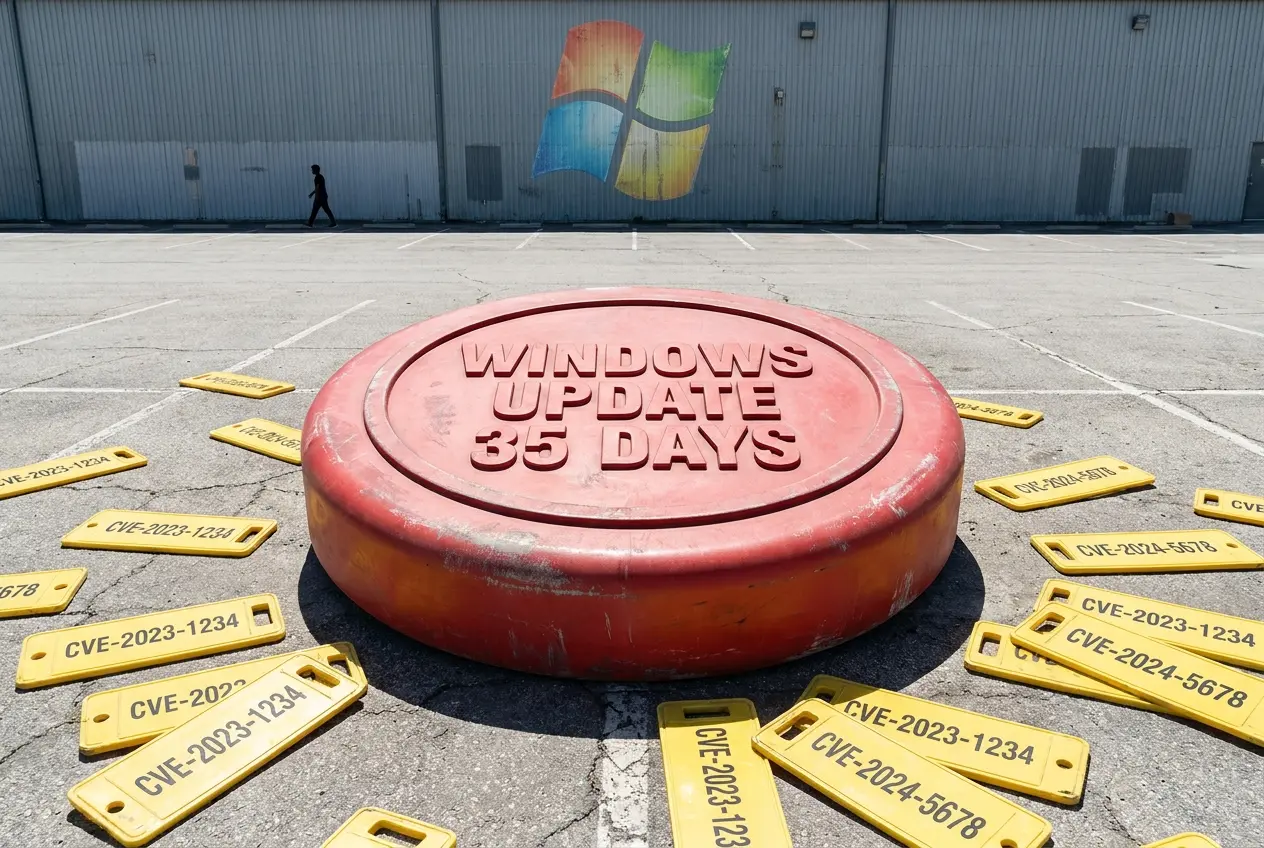
Microsoft has flipped a 25-year-old policy and now lets Windows 11 users pause updates for 35 days at a time, with no cap on how often they can hit the button again. The change went live on the Windows Insider blog on April 24, 2026, and lands in the Dev and new Experimental channels first. Security researchers say the freedom is real, and so is the danger.
The same release lets you skip updates during initial setup, splits Restart and Shut down from Update and restart in the Power menu, and bundles drivers, .NET and firmware into a single monthly reboot. It is the most permissive update policy Microsoft has shipped since Windows 10 made patches mandatory in 2015. Three named security experts told GB News that users who keep tapping pause are walking into a 14-day exploit window.
What Microsoft Actually Changed On April 24
The new controls arrived in Windows 11 Experimental Preview Build 26300.8289, the first build released under Microsoft’s reorganised Insider channel structure. The Update Orchestrator now uses what Microsoft’s release notes call “temporary update deferral tokens” to let users skip the install screen during the out-of-box setup and reach the desktop without waiting for downloads.
Inside the Settings app, the pause control has gained a calendar picker. You choose a date up to 35 days out, and when that date arrives, you can pick another. Microsoft has not capped how many times you can repeat the cycle, which is why Tom’s Hardware called it the platform’s first indefinite pause option in over a decade.
The visible changes shipping in this build are short and specific:
- Skip on setup. A new screen during initial Windows 11 setup lets you bypass the mandatory pre-desktop update.
- 35-day pause, repeatable. Tap pause as many times as you want. There is no annual lockout.
- Power menu separation. Restart and Shut down no longer disappear when an update is pending. Update and restart sits next to them as its own option.
- One reboot a month. Drivers, .NET runtime patches and firmware are scheduled to align with the monthly quality update so your PC restarts once.
- Clearer driver labels. Driver entries now read “display,” “audio,” “battery,” or the relevant class instead of generic vendor strings.
Why Microsoft Finally Caved
Aria Hanson, the strategic innovator who authored the announcement, said she personally read 7,621 user verbatims about the update experience over the prior months. Two complaints kept showing up: updates landing at the wrong moment, and no real say in when they happen.
The complaints are not new. Reddit threads and support forums have logged years of stories about Teams meetings cut short by mandatory restarts and Steam sessions ended by 4 a.m. installs. What changed in April was that Microsoft moved the controls into the user-facing Settings UI rather than burying them in Group Policy, where only IT admins ever found them.
The Security Trap Behind The Snooze Button
Three security specialists told GB News the same thing in different words: the new pause is a loaded gun pointed at home users. Patches stop being optional the moment they ship, because attackers reverse-engineer them within hours.
How Fast A Fix Becomes A Weapon
Alex Thompson, Windows specialist at The Computer Portal, told GB News that Microsoft is “essentially handing users a snooze button that they can hit indefinitely, which creates some serious security blind spots.” His estimate of the exploit window is blunt: 14 days from patch release to active attack, on average.
“The moment a patch is released, the vulnerability is no longer a Zero-Day. It becomes an N-Day. Often, threat actors then analyse the patch to reverse engineer it and see exactly what code was changed. Functional malware for a new patch is circulating on dark web forums within hours of the update’s release.” – Kevin Marriott, Director of Cyber Content Strategy and IP at Immersive
Marriott’s warning is not theoretical. Microsoft’s April 2026 Patch Tuesday closed 167 flaws, including two zero-days, one already exploited before the fix landed. February’s bundle patched six actively exploited zero-days in a single drop.
The 127-Day Patch Lag Already In The Wild
Andy Ward, SVP International at Absolute Security, said pausing updates “creates a serious cyber resilience risk because patching is no longer technical housekeeping; it is one of the most important ways to prevent serious cyber incidents and operational downtime.” His firm’s 2026 Resilience Risk Index found that critical OS patching across enterprise Windows 10 and 11 PCs is already running 127 days behind, more than double the 56-day lag in the same study a year earlier.
That lag exists before Microsoft hands consumers an unlimited snooze. Enterprise machines lag because of testing pipelines and change windows. Home PCs lag because nobody is paying anyone to remember.
- 14 days. Average gap between a patch release and active exploitation in the wild, per Thompson.
- 127 days. Average critical-OS patch lag on enterprise Windows PCs, Absolute Security 2026 index.
- 167 flaws. Closed in Microsoft’s April 2026 Patch Tuesday alone.
- 76 days. Per year that the average enterprise PC sits unprotected, Absolute’s same report.
A Quick Timeline Of 2026 Zero-Days You Probably Missed
If you paused updates in January and have not resumed since, here is what you have skipped. Each of these months carried at least one flaw that attackers were already firing at unpatched machines.
- January 14, 2026. Patch Tuesday closed 114 flaws and three zero-days.
- February 11, 2026. Six actively exploited zero-days fixed in a 58-flaw release.
- March 11, 2026. Two zero-days plus 79 other flaws addressed.
- April 14, 2026. 167 vulnerabilities patched, including the actively exploited Secure Boot bypass.
Six Types Of Updates Hiding Behind That One Button
“Windows Update” is not one thing. The Settings panel groups at least six different categories under a single label, and the risk profile of skipping each is wildly different.
- Security updates. Monthly critical patches for vulnerabilities. Skipping these is the dangerous behaviour the experts are warning about.
- Feature updates. Annual releases that add new tools and design changes. Generally safe to defer for weeks.
- Quality updates. Cumulative monthly bundles of bug fixes and performance improvements.
- Driver updates. Communication layer between Windows and your hardware. Now labelled by class in the new UI.
- Optional updates. Preview fixes and extra drivers. You choose whether to install.
- Out-of-band and zero-day patches. Emergency fixes pushed outside the monthly cycle for actively exploited bugs. Install immediately.
Old Behaviour vs New Behaviour At A Glance
Microsoft’s redesign rewrites several long-standing defaults that frustrated users for years. The table below maps the old behaviour against what now ships in Build 26300.8289.
| Action | Before April 2026 | After April 24, 2026 |
|---|---|---|
| Pause updates | Up to 35 days, then forced resume | 35 days, repeat indefinitely |
| Restart with pending update | Forced “Update and restart” only | Plain Restart and Shut down restored |
| Skip update during PC setup | Not possible | One-tap skip in OOBE |
| Driver labels | Generic vendor strings | Display, audio, battery, etc. |
| Monthly reboots | Multiple, scattered | One coordinated restart |
How To Install A Pending Windows 11 Update Right Now
If you are sitting on a paused update and want to clear the queue before the next zero-day drops, the steps are short. Plug the laptop in first.
- Click the Start menu (Windows icon).
- Open Settings.
- Go to Windows Update at the bottom of the sidebar.
- Click Check for updates.
- If updates are available, click Download & install.
- Restart your PC if prompted.
Frequently Asked Questions
How long can you pause Windows 11 updates after the April 2026 change?
You can pause for 35 days at a time, and there is no cap on how many times you can repeat the pause. Tap the button when the calendar runs out and you get another 35 days. The control sits in Settings, then Windows Update.
Is the indefinite pause feature live for everyone right now?
No. As of May 2026, the controls are rolling out only to Windows Insiders in the Dev and new Experimental channels, starting with Build 26300.8289 released on April 24, 2026. Microsoft has not given a date for general availability on stable Windows 11 24H2 or 25H2.
Will pausing updates stop security patches from arriving?
Yes. The pause applies to all categories grouped under Windows Update, including monthly security patches and cumulative quality fixes. Out-of-band emergency patches for actively exploited bugs can still install if Microsoft pushes them as critical, but most security content waits behind your pause.
How dangerous is it to delay Windows updates by a few months?
Security specialists put the average gap between a public patch and active attack at around 14 days. By the six-month mark, a typical machine is missing roughly twelve patched vulnerabilities, several of which usually have public exploit code. The risk profile is closer to running an unsupported OS than to running slightly-old software.
Can you still skip updates during PC setup if you bought a new laptop?
Only on devices running the new Experimental Build 26300.8289 or later. The skip option appears as a button on the OOBE update screen and uses temporary deferral tokens to let you reach the desktop without waiting. On older builds, the setup-time update remains mandatory.
Does the new Power menu still let me restart without an update?
Yes. After the redesign, Restart and Shut down sit alongside Update and restart as separate options. You can reboot or power off without triggering a pending install for the first time since Windows 10 launched in 2015.
Microsoft has spent a decade insisting that mandatory updates were the only honest answer to a hostile internet. The April 2026 climbdown admits the real answer was always more complicated, and the company is betting that users who get to choose will choose well. The security industry’s bet is the opposite, and the next 90 days of Patch Tuesday data will tell us which side called it correctly.

-
 TECH1 year ago
Where Garmin Watches are Made and How They are Assembled
-

 AUTO3 months ago
Tesla’s Roadster Is ‘a Few Weeks Away,’ Says Its Chief Designer
-
 NEWS10 years ago
Samsung Releases Galaxy Note7 TV Ad as Reddit AMA Leaks Specs
-
 NEWS10 years ago
Android 7.0 Nougat Rolls Out To Nexus Devices With New Emoji, Features
-
 FINANCE9 years ago
Cardano Price Surges as ADA Enters the Crypto Top Ten List
-
 NEWS10 years ago
Pre-Order the First Camera Made for Facebook Live Streaming Video
-
 FINANCE1 year ago
Binance Suspends Trading and Withdrawals for a System Upgrade
-
 FINANCE9 years ago
RChain Price Jumps Nearly 150% to a New All-Time High of $2.03